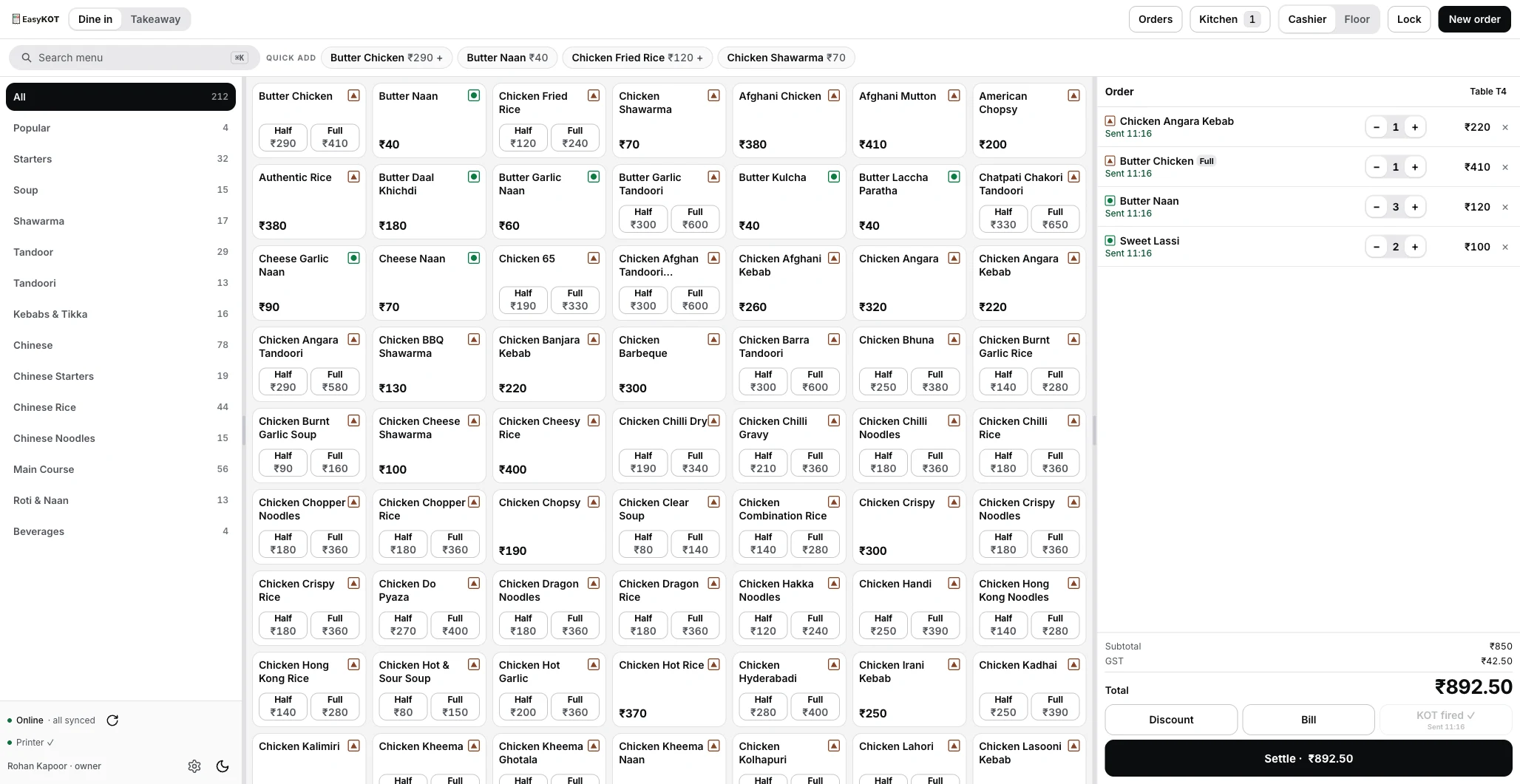
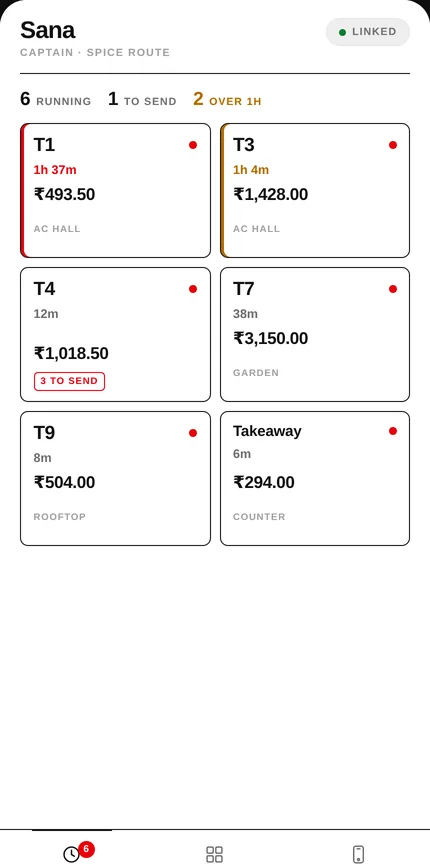
A busy restaurant cannot organize its work around a perfect connection. EasyKOT combines desktop and mobile interfaces, local storage, kitchen printing, background sync and AI-assisted setup.
Orders keep moving.
The network can wait. The kitchen can't.
In EasyKOT, local writes, kitchen printing and background synchronization have different jobs. Try a simplified order flow.
Explanatory simulation. No real order, printer or server connection.
Local first. Shared when connected.
Save the example to see local storage and printing continue while upload waits. Server validation still governs shared business rules.
Local work, shared rules
The desktop app pairs a Tauri 2 Rust shell with a React and TypeScript interface. React Native and Expo support mobile ordering. SQLite stores local data; PowerSync coordinates synchronization with the Laravel and PostgreSQL backend.
Writes land locally and enter a durable upload queue. The server validates them and remains authoritative for shared business rules. Client-generated identifiers and idempotency make retries safe; integer minor-unit money avoids using floating-point arithmetic for transaction amounts. Store-scoped data keeps business context explicit.
Printing has its own failures
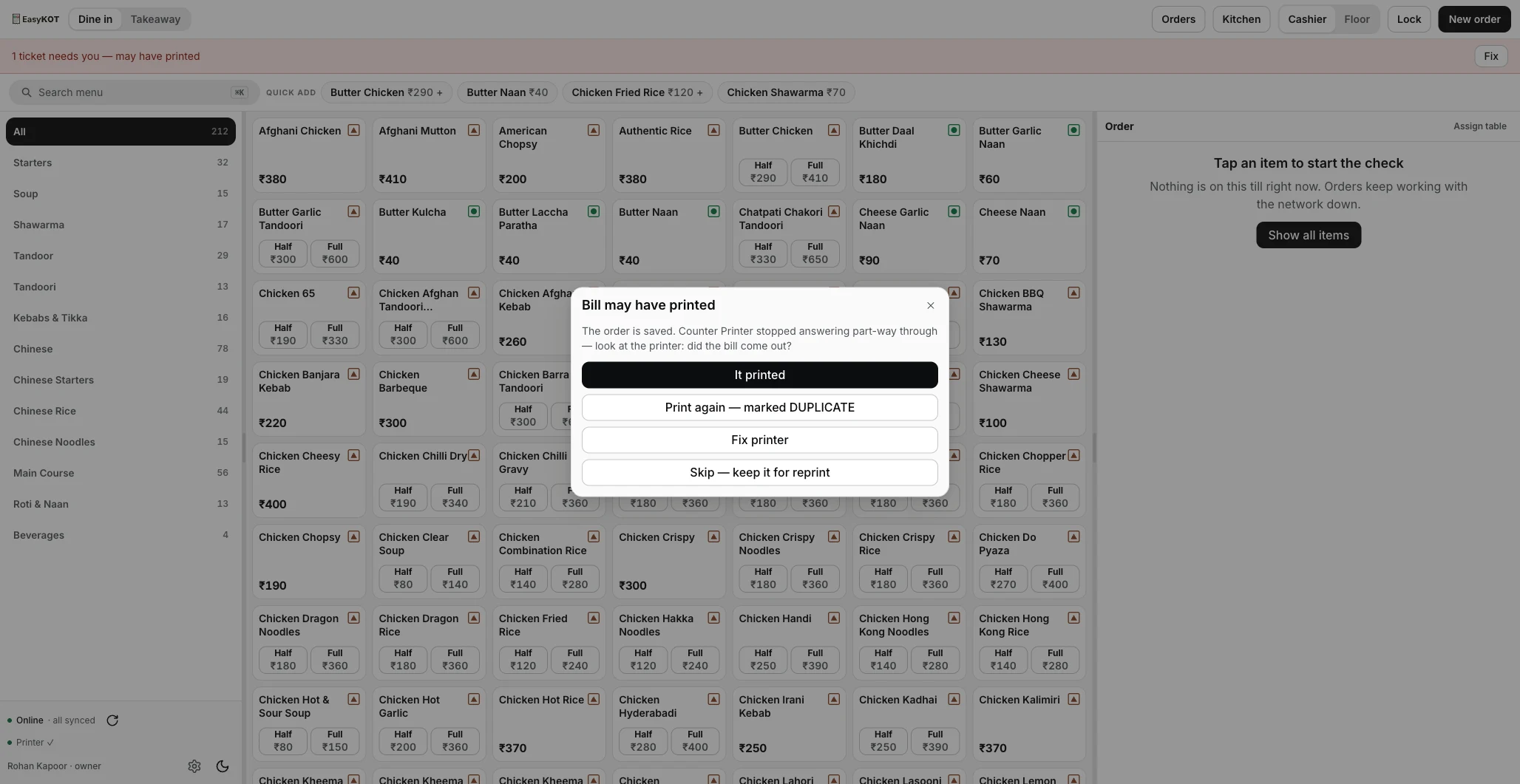
A saved order and a printed kitchen ticket are different outcomes. ESC/POS printing needs a queue, retries and a recovery path. When a printer stops answering part-way through, the person may need to check the paper before requesting a duplicate. Hiding that uncertainty would make the screen simpler and the operation harder.
Hardware behavior still depends on the printer and connection. The public demo is a sample restaurant experience, not a physical-printer compatibility test. It is best inspected on a wide screen; mobile entry paths can differ.
AI imports, reviewed.
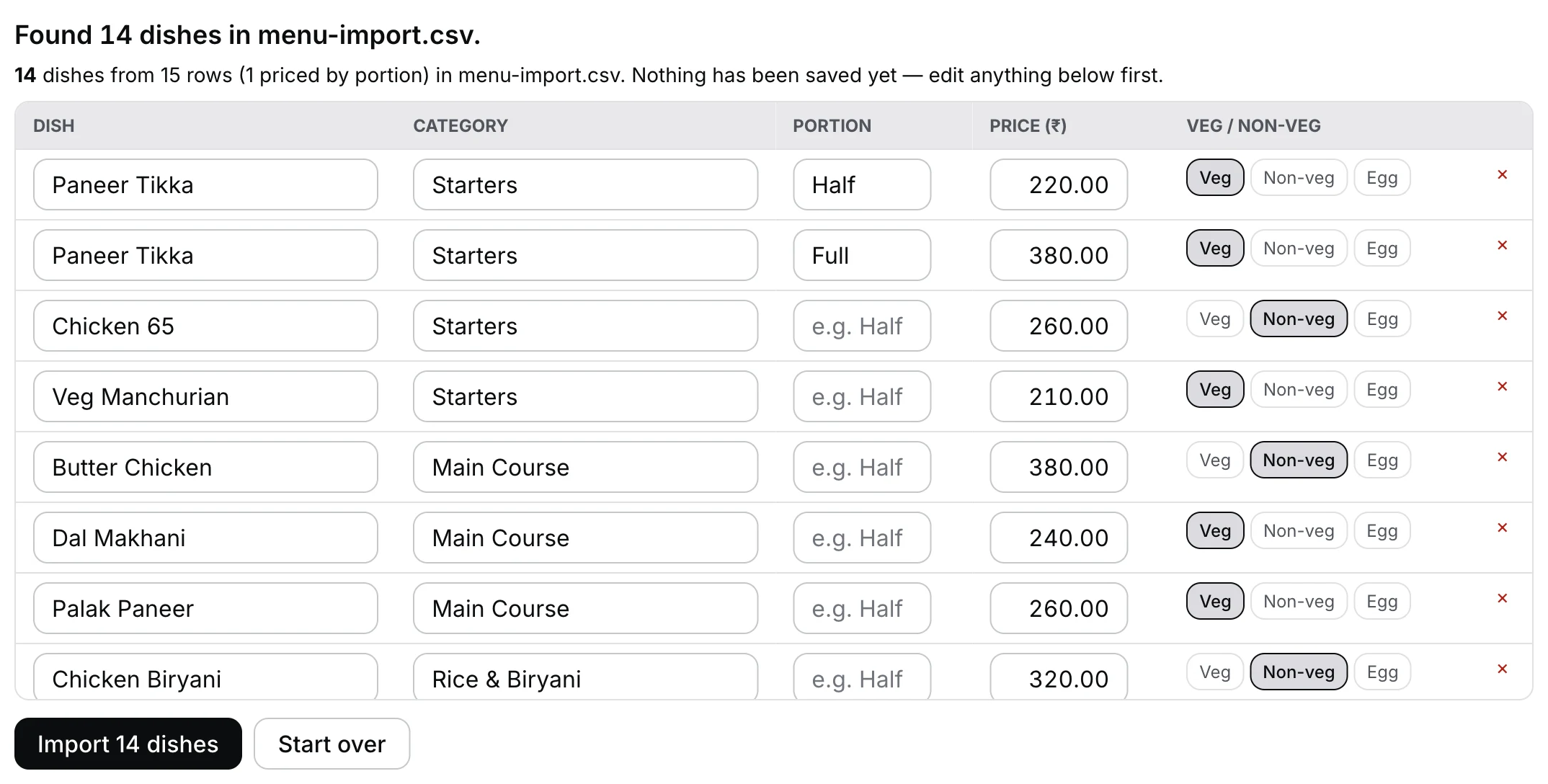
Menu images and PDFs become structured draft rows. An extractor, a second verification pass and deterministic checks work together before the owner reviews and commits the dishes.
Menu photo or PDF
The input can be messy.
Extract & verify
Structured rows, a second pass, application checks.
Owner reviews
Edit the draft before committing dishes.
The extraction agents have no tools or direct database-write access. The application owns the save boundary.
AI menu import, recorded in the product. English narration. Watch in Hindi.Read the tutorial transcript
Let's import Konkan Kitchen's menu from a menu photo into EasyKOT. Visit the owner admin at app.easykot.com and sign in. On Get started, find Add your menu. Click Choose a file and select your menu photo. Use a clear photo so dish names and prices are easy to check. EasyKOT reads the menu and prepares a draft. Wait for the review screen. Nothing has been saved yet. Compare every dish, category, portion, price, and veg or non-veg label with your menu card. Scroll through the whole list. Check both prices for dishes sold by portion. Chicken Biryani Half ₹180. Chicken Biryani Full ₹320. Paneer Butter Masala Half ₹160. Paneer Butter Masala Full ₹280. If anything needs correcting, edit it here before importing. Do not continue with a missing or incorrect price. When everything matches, click Import 15 dishes. Wait for the import result. Your menu is now saved. Open Menu & stock, then All items to check it. Here are our 15 dishes. Updating dishes and adding varieties each have separate videos.
Keep uncertainty visible
Expense-photo extraction proposes structured supplier-bill fields. Unclear values remain uncertain and the person reviews the suggestions. This is assistance with data entry, not autonomous payments, guaranteed bookkeeping accuracy or tax advice.
Provider and model selection are configurable. Validation, scoped access and evaluation remain necessary; a prompt alone is not a security guarantee.
The product needs teaching
My work also includes repeatable product education: real application recordings, reusable HyperFrames overlays and motion, narrated tutorials, and English/Hindi localization. The recording proves the product flow; the overlays and voice help explain it.
This makes marketing an engineering workflow too: reusable assets, consistent steps, reviewed language and a clear path back to the real product. It does not establish a conversion lift or a fully autonomous campaign.
The product surfaces, implementation choices and public tutorials are inspectable. This page does not claim customer counts, commercial results, universal hardware compatibility, or production rollout of every recent AI change.